.ade/worktrees/<lane-name>/. It is the unit of parallel work.
Because the lane is a real worktree, agents can run in the same repository at the same time without writing over each other or over your primary checkout. There is no stashing and no branch juggling.
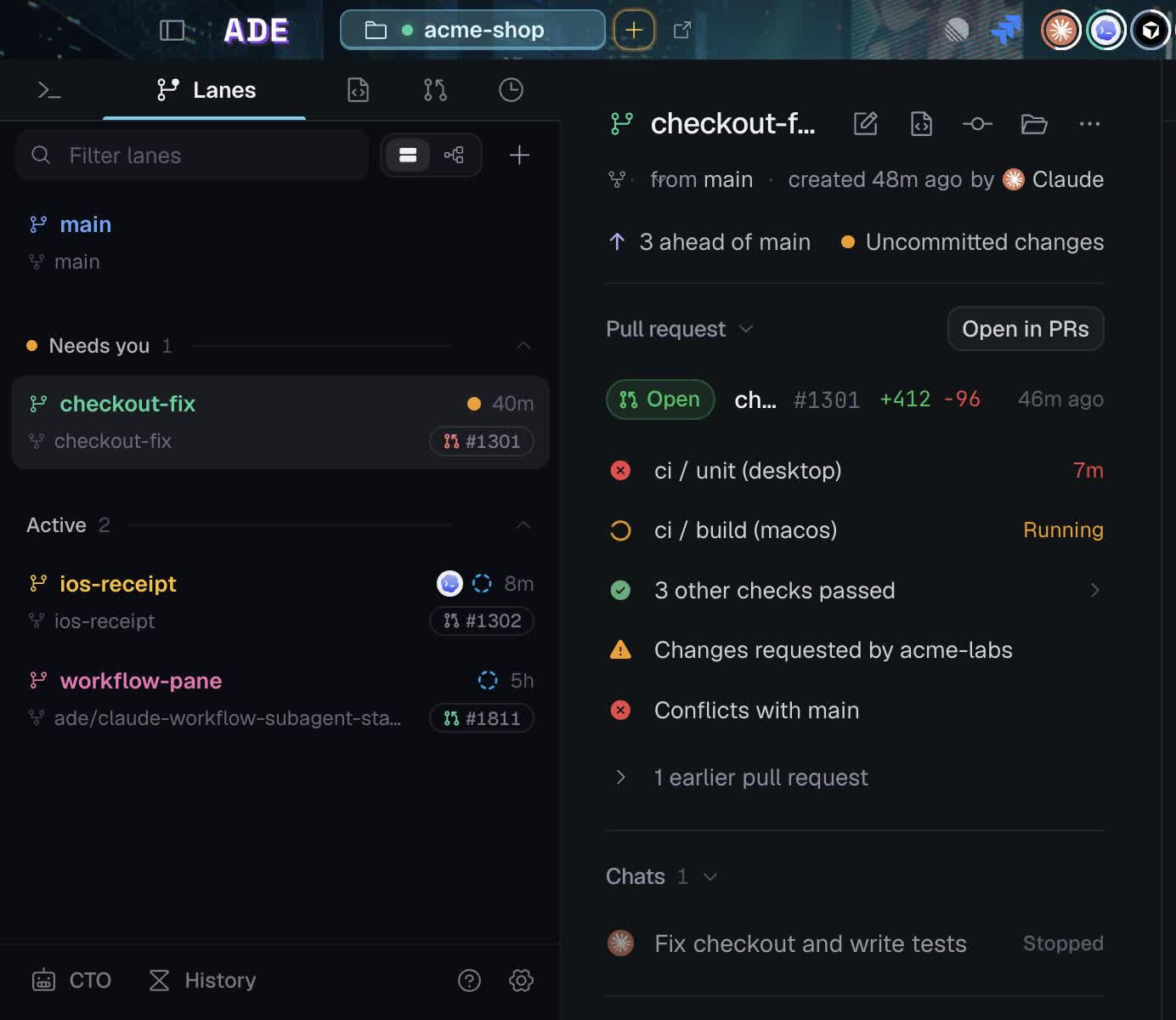
Lanes in the sidebar. Selecting one shows its branch, PR, CI state, and checks.
What a lane owns
- A branch and a working directory.
- The chats, terminals, and CLI sessions started in it.
- Its diff, file changes, test runs, and proof artifacts.
- The pull request created from it.
One task, one lane
Create a lane from the project default, the primary branch, or another branch. Bring pushed commits, local commits, or a copy of uncommitted changes. You can also work directly on an existing branch. A lane compares against its open PR’s base, or the project default branch when no PR is open. For dependent work, create a branch from another branch and target it with a GitHub PR.Stacked pull requests
For dependent work, create a lane from another branch and open a PR targeting that branch. Pull requests covers GitHub stacks.Environment
A lane can carry setup steps that run when it is created or resumed — install dependencies, copy env files, start a service. That keeps a fresh worktree usable without manual setup.Lane environment
Setup scripts, environment files, and per-lane configuration.
Finishing a lane
When work is merged, archive the lane to keep its worktree and history available, or delete it when you no longer need the worktree.Create a lane
The creation flow, base branch, and naming.
Repositories and worktrees
How ADE maps repositories to projects and worktrees to lanes.